

Session Replay is included in the Teams plan. Sessions are retained for 90 days.
Browsing Sessions
Navigate to Monitor > Session Replay in the sidebar. The session browser includes:- Stats cards: Total sessions, sessions today, total messages, and average duration
- Top projects: The most active projects ranked by session count
- Activity by hour: An hour-of-day heatmap (with a Less to More intensity scale) showing when sessions run
- FilterSearch: An AWS EC2-style multi-category filter for narrowing down sessions
- Client/device filter: Filter sessions by specific machines in your fleet
- Paginated list: Infinite scroll with session metadata
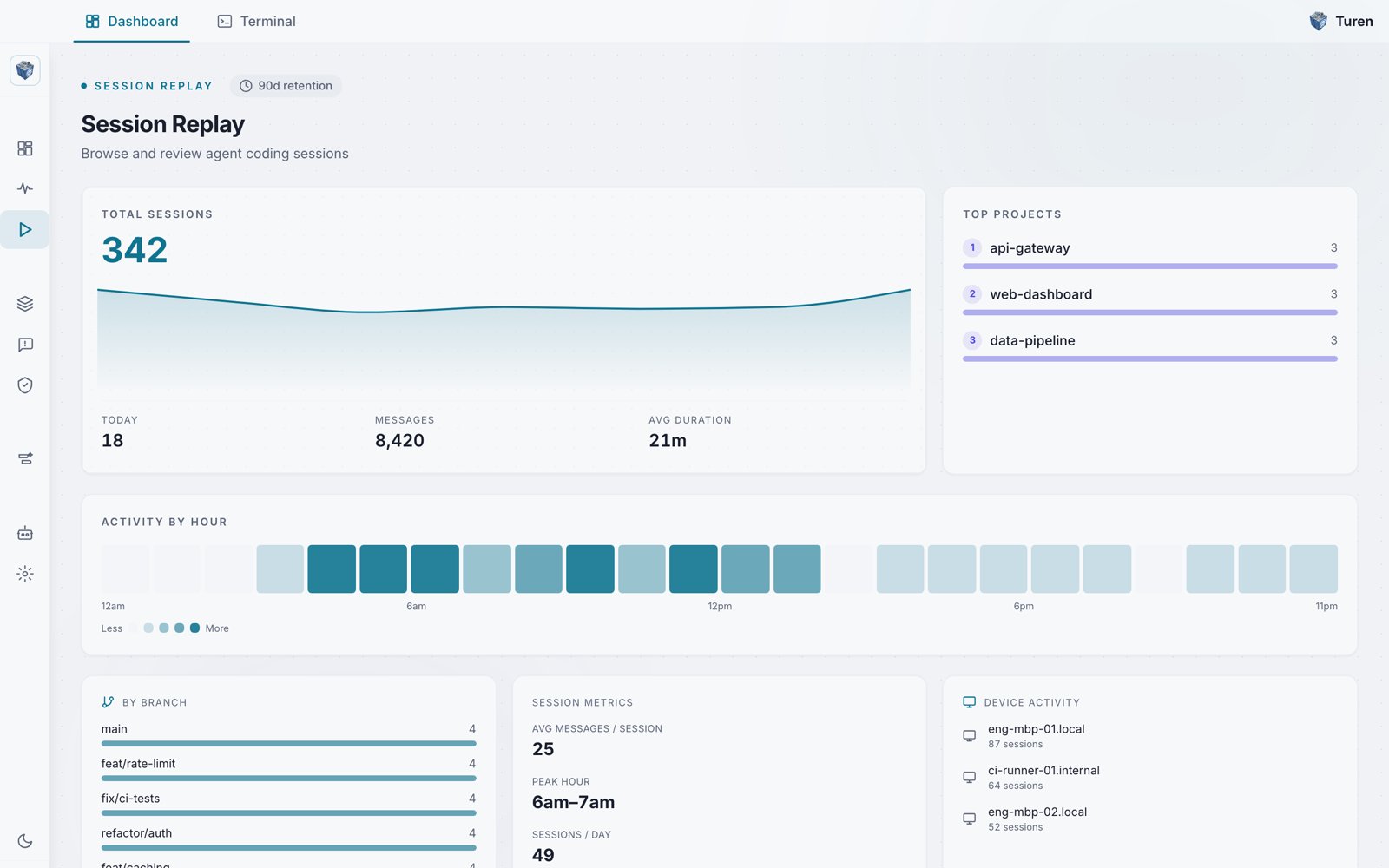
The Session Replay overview: total sessions, top projects, and an activity-by-hour heatmap.
Subagent Expansion
Sessions that spawned subagents show an expand button. Click it to reveal inline subagent rows beneath the parent session, letting you drill into the full agent tree without leaving the list view.Session Detail
Click on any session to open the detail view at/replay/:sessionId. The detail page has three main panels:
Left Sidebar
A collapsible session list panel that lets you navigate between sessions without returning to the list view.Main Content
The conversation trace, with two view modes:- Dev view: Full developer-oriented view showing all message types
- Audit view: Filtered view focused on security-relevant events
Use the FilterSearch bar to filter the trace by entry type, or search for specific content.
Right Panel (Inspector)
A collapsible inspector panel with three tabs:- Content: Full content of the selected message
- Diff: File diffs for tool calls that modified files
- Meta: Metadata including timestamps, token counts, and model info
CSV Export
Export the full session trace as a CSV file for offline analysis or compliance reporting.Streaming
Session content is loaded via Server-Sent Events (SSE), so large sessions stream in progressively rather than blocking on a full download.Use Cases
Security Auditing
Review sessions where security rules were triggered to understand what happened and whether the response was appropriate.
Incident Response
After a security incident, replay the exact session to understand the chain of events.
Knowledge Sharing
Share effective sessions with your team as examples of good agent-assisted development.
Compliance
Demonstrate to auditors that AI agent activity is logged and reviewable.