

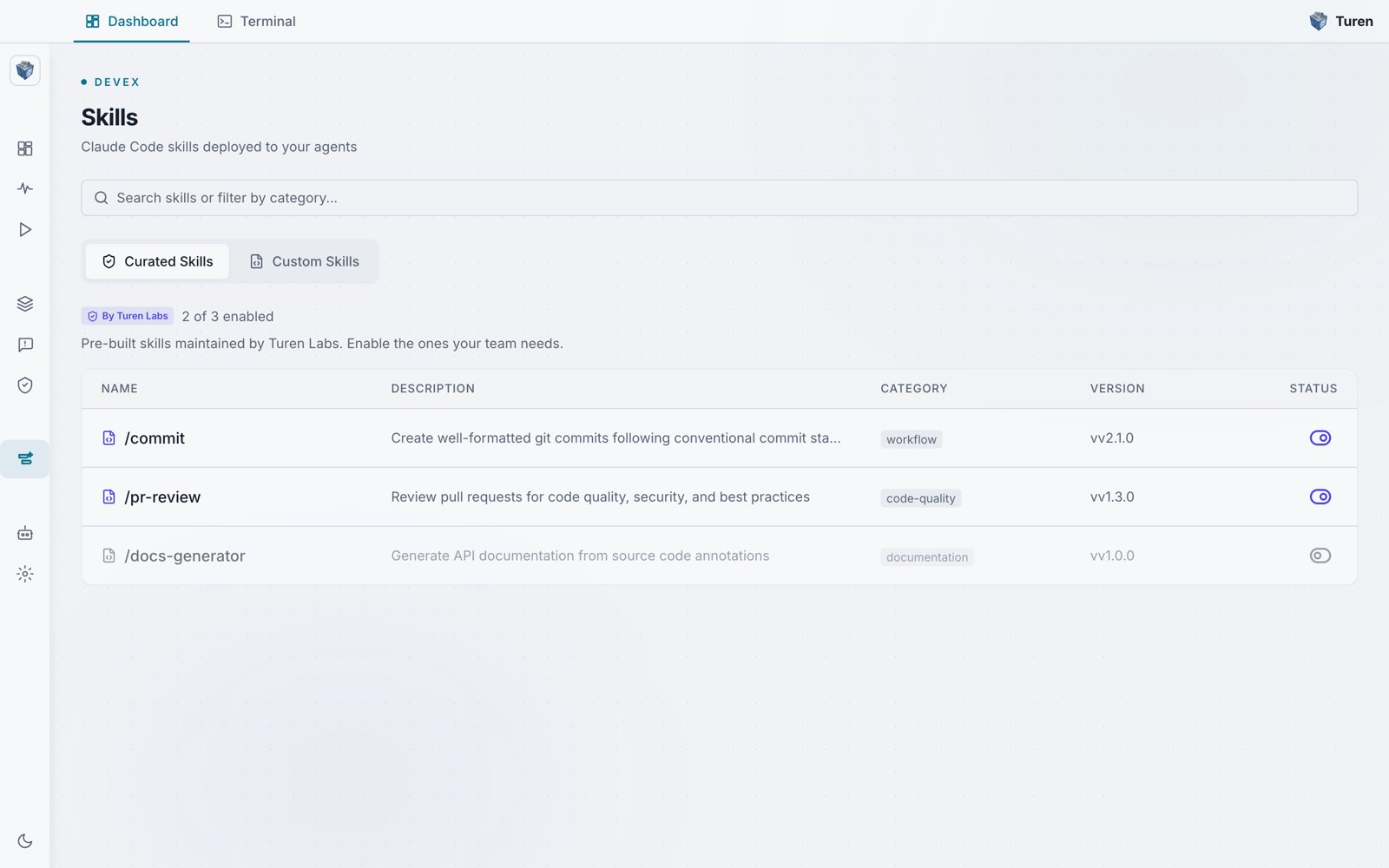
The Skills page under DevEx, showing the Curated Skills tab with per-skill enable toggles, categories, and version numbers.
What Are Skills?
Skills are Claude Code extensions that define workflows, guidelines, and tools. They’re written as Markdown files with YAML frontmatter and can include:- Code review checklists that Claude follows when reviewing PRs
- Deployment procedures with step-by-step instructions
- API design guidelines that Claude applies when writing endpoints
- Security audit workflows that trigger automatically when discussing vulnerabilities
- Anything else you want Claude to know or do consistently across your team
How It Works
1
Admin uploads a skill
Upload a skill package (
.tar.gz) in the dashboard under DevEx > Skills (/devex/skills).2
Skill is encrypted and stored
The skill is encrypted with your organization’s key and stored securely in S3.
3
Agents sync the skill
Within 15 minutes, every Turen agent downloads and deploys the skill to
~/.claude/skills/turen/.4
Developers use the skill
Claude Code discovers the skill natively. Developers see it in their
/ command menu and Claude can invoke it automatically.Creating a Skill
A skill is a.tar.gz archive containing a SKILL.md file with YAML frontmatter:
Frontmatter Options
Supporting Files
Skills can include additional files alongsideSKILL.md. For example, a deployment skill might include a checklist:
SKILL.md can reference these files and Claude will have access to them.
Uploading a Skill
1
Package the skill
Create a
.tar.gz archive containing your SKILL.md and any supporting files.2
Open Skill Delivery
In the dashboard, navigate to DevEx > Skills (
/devex/skills). Select the Custom Skills tab.3
Upload
Click Upload Skill and select your
.tar.gz file (max 10MB). You can also drag and drop the file. The dashboard validates the package and extracts the skill metadata.Managing Skills
The Skills page has two tabs: Curated Skills and Custom Skills.Custom Skills
The Custom Skills tab shows a table of all skills you’ve uploaded. From here you can:- Enable/disable: Toggle whether a skill is delivered to agents
- Edit: Update the skill name, description, or upload new content
- Download: Download the current skill package
- Version history: View all previous versions with version number, content hash, file size, and timestamp
- Restore: Roll back to any previous version from the version history
- Delete: Remove a skill from all agent machines
Curated Skills
The Curated Skills tab shows pre-built skills maintained by Turen Labs. These cover common use cases and can be enabled or disabled with a single toggle. You cannot edit or delete curated skills.Versioning
Every time you upload or edit a skill, a new version is created. The version history shows:- Version number
- Content hash
- File size
- Who made the change and when
- A Restore button to roll back to any previous version
What Developers See
Once a skill is deployed, developers see it natively in Claude Code: Manual invocation:Use Cases
Code Review Standards
Define what Claude should check during code reviews: security, performance, style, accessibility.
Deployment Procedures
Step-by-step checklists that Claude follows when helping with deployments.
API Design Guidelines
Enforce consistent API patterns, naming conventions, and error handling across your team.
Onboarding Guides
Help new developers navigate the codebase with context Claude can reference.
Security
- Skills are encrypted with your organization’s unique key (AES-256-GCM) before storage
- Only agents authenticated with your organization’s credentials can download skills
- Skills are written to a dedicated
~/.claude/skills/turen/directory: they cannot overwrite developer-created skills - All skill changes are logged in the audit trail