

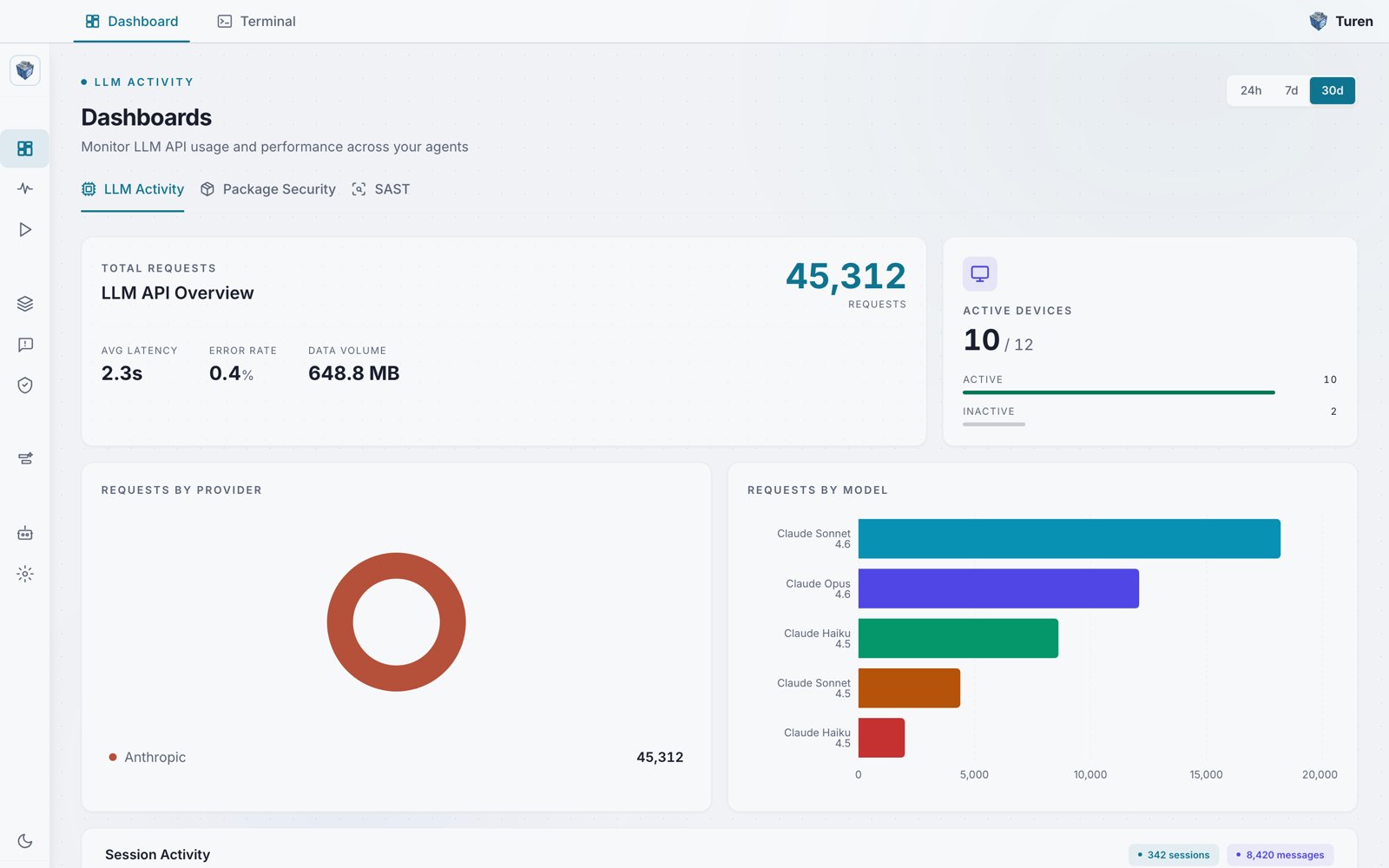
The LLM Activity dashboard showing total requests, latency, error rate, data volume, active devices, and requests broken down by provider and model.
Key Metrics
The dashboard summarizes activity across a set of headline metrics:Provider Breakdown
A donut chart showing how usage is distributed across LLM providers:- Anthropic: Claude models
- OpenAI: GPT models
- Google: Gemini models
- Mistral: Mistral models
- Cohere: Cohere models
Model Breakdown
A horizontal bar chart showing the models your team is using, ranked by request volume. Model names are displayed in a friendly format (e.g., “Claude Opus 4.6”, “GPT-5.2 Pro”). This helps you:- Track adoption of newer models
- Understand usage distribution
- Identify usage patterns across your team
Session Activity
The bottom section shows detailed session metrics:- Total Sessions: Number of Claude Code sessions in the period
- Total Messages: Messages exchanged across all sessions, with daily average
- Avg Duration: Average session length
- Unique Clients: Number of distinct machines with sessions
- Sessions This Week: Daily session count bar chart
- Activity by Hour: 24-cell heatmap showing when your team is most active
- Top Clients: Ranked list of machines with the most session activity, showing hostname, session count, total bytes, and last active time