

Architecture
Turen runs entirely on your infrastructure. Each developer’s machine (macOS, Linux, or Windows) gets a lightweight agent, and your organization’s data stays under your control.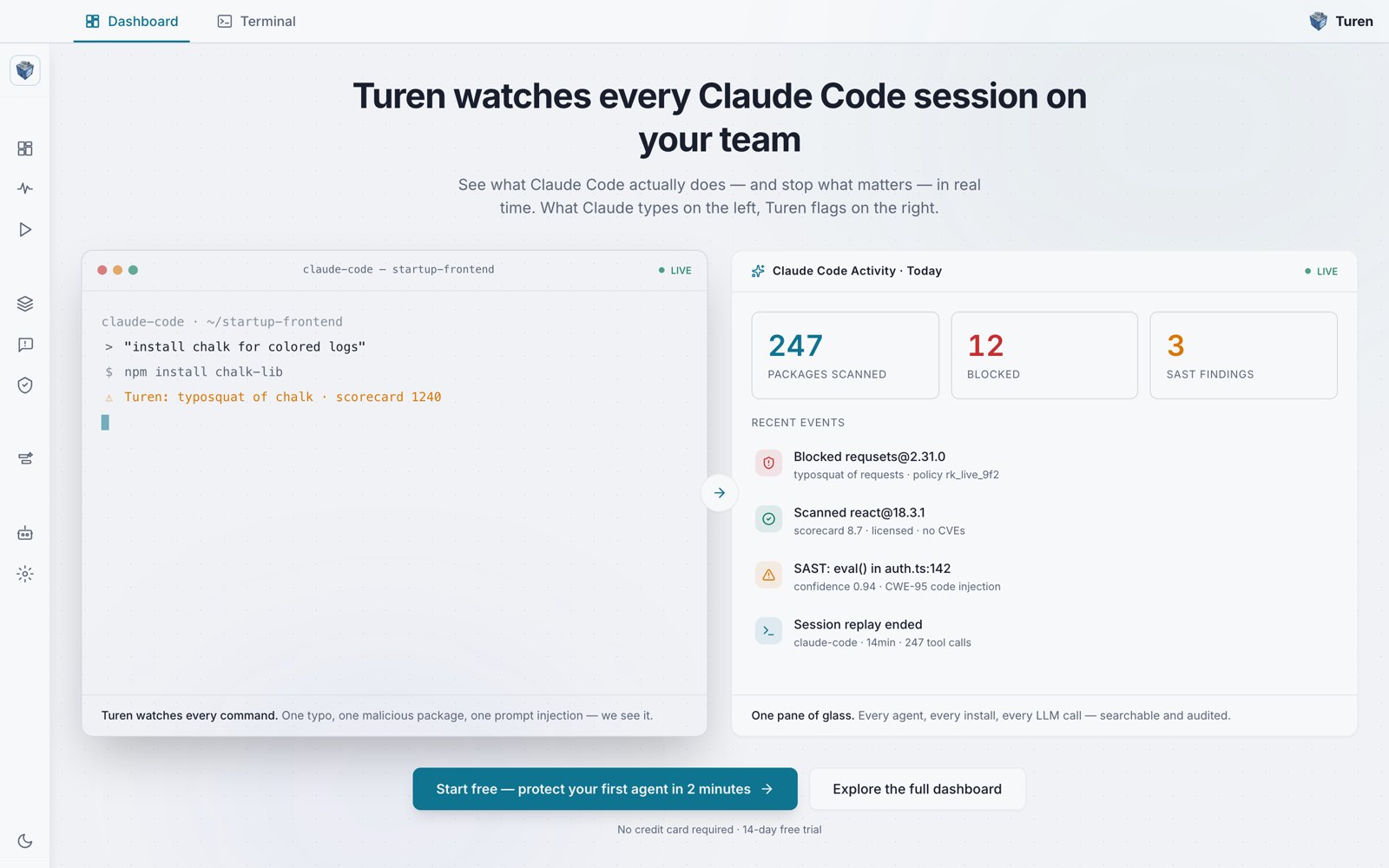
The Turen dashboard shows Claude Code's live terminal on the left and flagged activity on the right: packages scanned, blocked installs, and SAST findings.
Security Hooks
Turen enforces its rules through Claude Code hooks, not by intercepting network traffic. Claude Code connects directly to the Anthropic API; Turen’s hooks run locally as Claude Code works:- Command validation: before a shell command runs,
turen-pkgchecks it against your rules and blocks dangerous operations. - Package security: before a package is installed,
turen-pkgevaluates it against your scorecard, vulnerability, and license policies. - Code scanning: as code is written,
turen-batouscans each change for vulnerabilities and can block insecure code. - Prompt and output inspection: prompts, command output, and fetched web content are checked for prompt injection and secret exposure.
These hooks are fully supported on Claude Code. Codex runs the same rules
through its own hook interface in preview. Some Codex shell and non-shell
tool paths are not hookable yet, so on Codex these checks are best treated as
an additional layer rather than a complete boundary. Command, injection, and
secret detections are reported to the dashboard for both agents, and session
collection and usage telemetry are derived for both.
managed-settings.json, registering the hooks. No manual setup required.
The Daemon
The Turen daemon is a background service that handles everything else:- Registration: one-time setup that links the machine to your organization. Developers register by signing into the Turen desktop app, which enrolls the machine over local IPC (no key needed). Headless and fleet installs can register with a registration key instead.
- Policy sync: periodically fetches the latest rules from your Turen dashboard.
- Check-ins: sends heartbeats so the dashboard knows which agents are online.
- Session collection: reads Claude Code’s local session transcripts and uploads them encrypted.
- Usage telemetry: reconstructs token, model, and cost data from those transcripts for the LLM analytics dashboard.
Security Rules
Turen ships with 96 built-in rules across three categories:
Rules are evaluated in real time as Claude Code works: blocked actions are stopped before they run.
You can also create custom rules for your organization’s specific needs.
Session Recording
Every Claude Code session is automatically recorded and uploaded to your Turen organization. Sessions capture:- All user messages and assistant responses
- Tool invocations and their results
- Token usage and timing data