

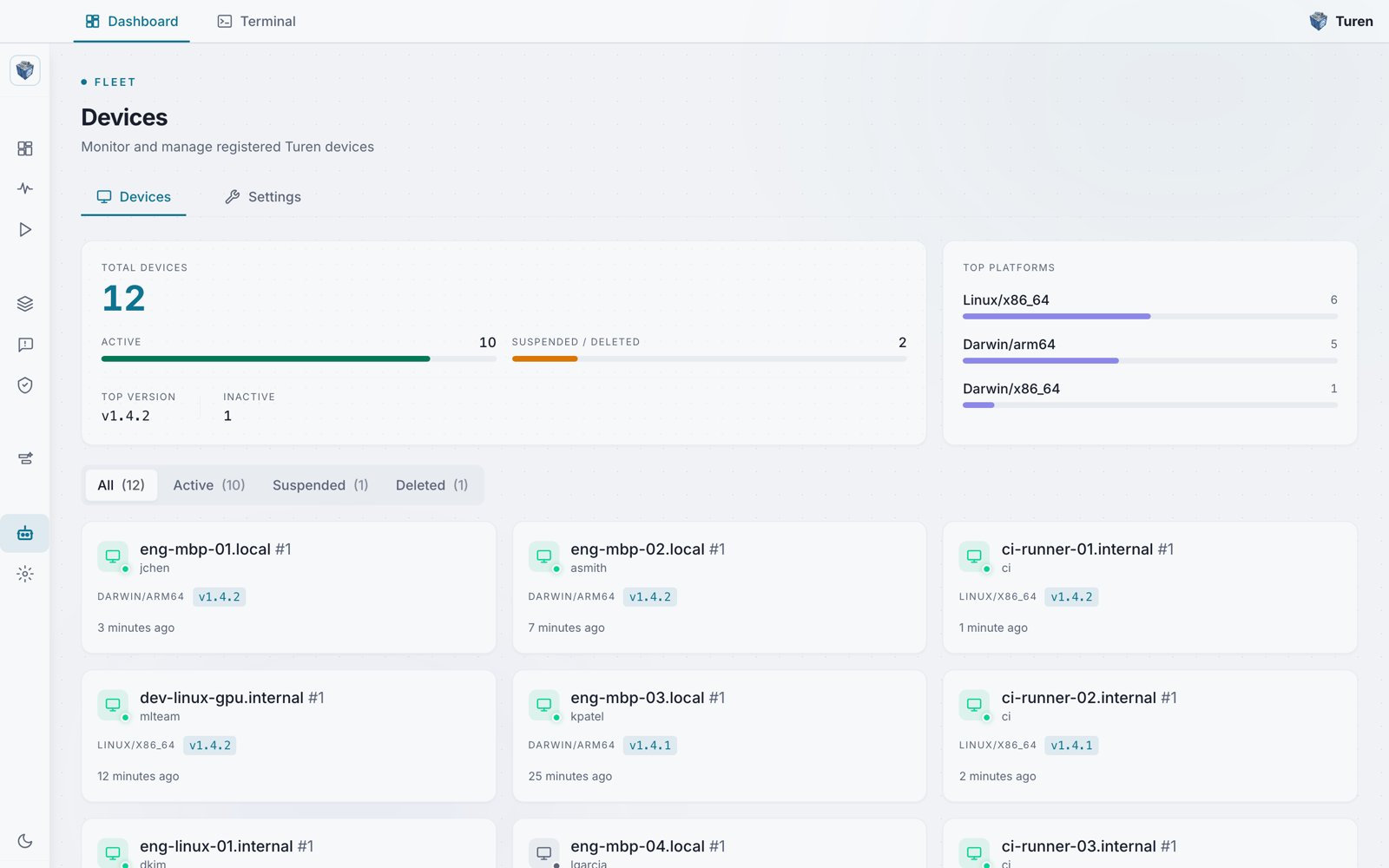
The Devices fleet view: total, active, and suspended/deleted counts, a top-platforms breakdown, and per-device cards showing owner, OS and architecture, agent version, and last check-in.
Navigation
The sidebar is organized into four collapsible sections:Monitor
Dashboards, events, and session replay for tracking agent activity across your organization.
Agentic Security
Software security rules, agent security rules, and security settings.
DevEx
Skill delivery for managing custom and curated skills.
Platform Settings
Device fleet management, organization settings, billing, team, API keys, SSO, and audit logs.
Monitor
The Monitor section contains your analytics and observability tools:- Dashboards: Two analytics views accessible from a single nav item:
- Package Security Dashboard (
/dashboards/packages): Supply chain risk metrics, decision breakdowns, ecosystem trends, and device stats - LLM Activity Dashboard (
/dashboards/llm): Request volume, latency, error rates, provider and model breakdown, and session activity
- Package Security Dashboard (
- Events (
/events): Filterable stream of package and LLM events with timestamps and decisions - Session Replay (
/replay): Browse and replay complete Claude Code sessions with conversation history, tool calls, and file changes
Agentic Security
Configure security rules for your agents:- Software Security (
/security/software): OSS package security rules with scorecard thresholds, vulnerability limits, and license policies. SAST for real-time code scanning with Batou. Malware detection is active and automatic; a dedicated Malware tab is coming soon. - Agent Security (
/security/prompt): Agent-level security rules across four tabs: Commands, Injection, Secrets, and Custom. Create custom rules with a multi-step wizard. - Security Settings (
/security/settings): Central toggle controls for enabling/disabling security features
DevEx
- Skill Delivery (
/devex/skills): Manage custom skills (upload, edit, delete, version history, restore) and curated skills from Turen Labs (enable/disable toggles)
Platform Settings
- Devices (
/agents): Fleet management for all registered machines. Download the agent installer for macOS, Linux, or Windows (auto-detects your CPU architecture). View device details, suspend, or delete devices. - Org Settings (
/settings): Organization administration, including:- General: Organization name, slug, beta features toggle, and AI training opt-out
- Team: Invite members, assign roles
- API Keys: Create and manage programmatic access keys
- Billing: Subscription and seat management via Stripe
- SSO: Single sign-on configuration
- Audit Log: Complete trail of all administrative actions with filterable search