

/settings/billing).
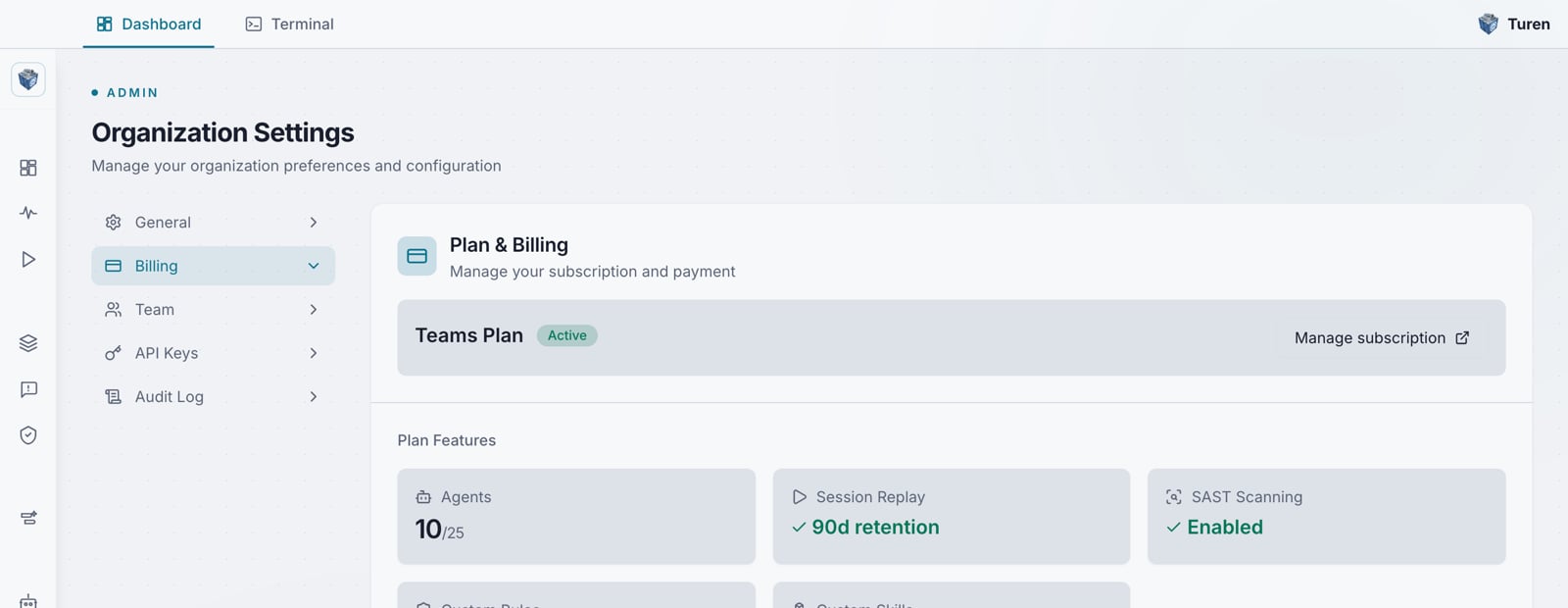
The Billing page in Organization Settings, showing the active Teams plan and its included features.
What’s included
Every organization is on the Teams plan. It includes:Free trial
New organizations automatically start with a 14-day free trial of the Teams plan, no credit card required. When the trial ends, add a payment method to keep your subscription active. If no payment method is on file at the end of the trial, the subscription is cancelled cleanly and you keep read-only access until you subscribe.Seat Management
Billing is per agent: each seat covers one agent. Adjust your seat count from the Billing page.- Use the + and - buttons to adjust the number of seats
- Click Update to save the change
- You cannot reduce seats below your current active agent count
Managing Your Subscription
Click Manage subscription to open the Stripe Customer Portal, where you can:- Update payment method
- View and download invoices
- Cancel your subscription
Invoices
The Invoices section on the Billing page shows your billing history with:- Invoice date and number
- Payment status (paid, open, draft)
- Amount
- Link to view the full invoice on Stripe