

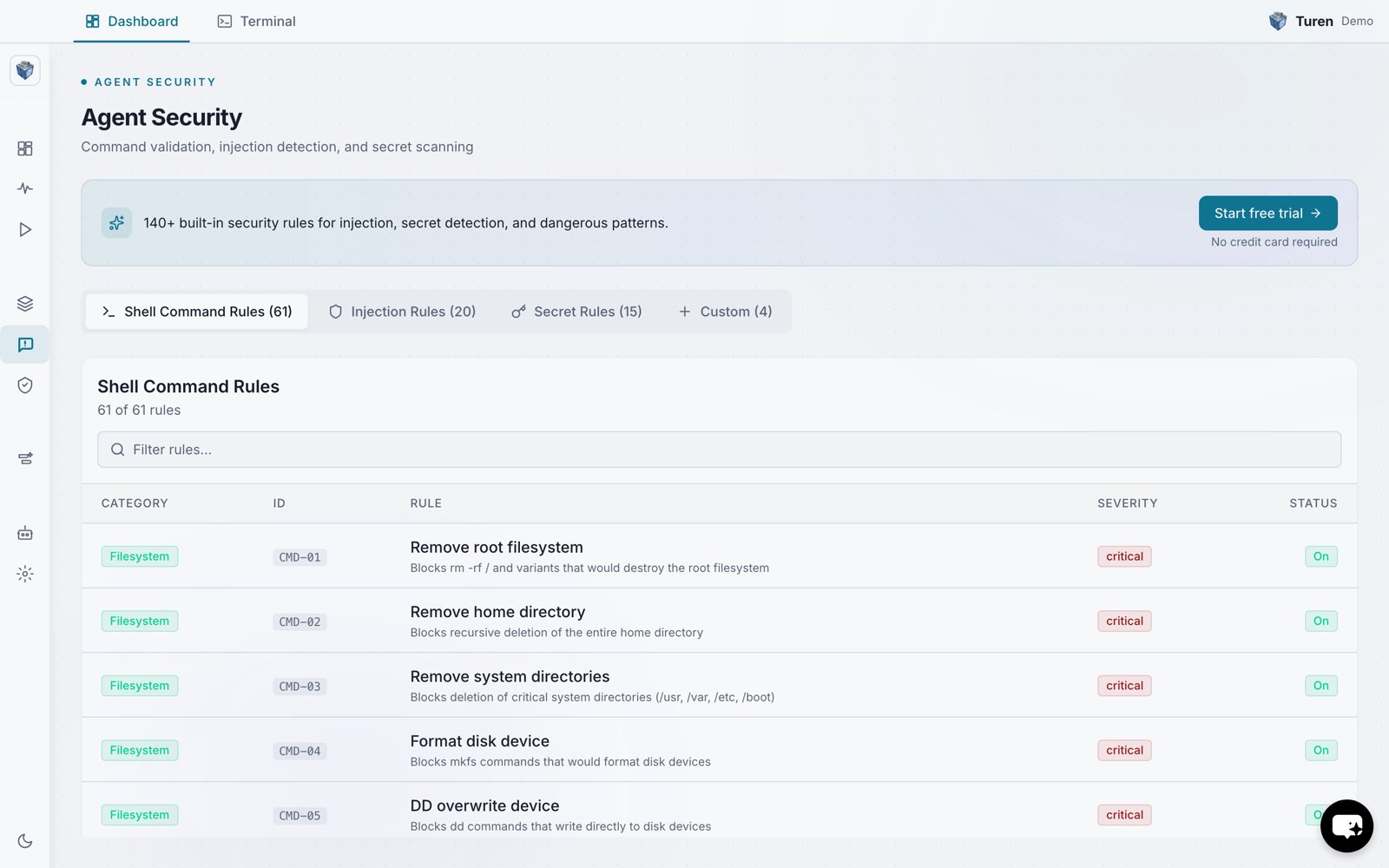
The Shell Command Rules tab on the Agent Security page, listing all 61 rules with their category, ID, severity, and on/off status.
Where to Find These Rules
Go to Agentic Security > Agent Security (/security/prompt) and select the Shell Command Rules tab. Use the filter bar to search rules by category, severity, or status.
Rule Categories
Filesystem (CMD-01 to CMD-17)
Commands that could delete or corrupt files:rm -rf /and variants targeting critical pathsmkfs: formatting disksdd: raw device writesshred: secure file deletion- Overwriting boot sectors or MBR
- Removing package manager databases
Git (CMD-18 to CMD-26)
Dangerous version control operations:- Force pushes to protected branches
git reset --hardto remotegit filter-branch(history rewriting)- Deleting HEAD reference
- Expiring reflog entries
Security (CMD-27 to CMD-41)
Commands that could compromise system security:- Fork bombs
chmod 777on system paths- Curl/wget piped to shell
- Disabling firewalls, SELinux, or AppArmor
- Reverse shells and bind shells
- SSH key injection
- Cron persistence
Database (CMD-42 to CMD-47)
Destructive database commands:DROP TABLE/DROP DATABASETRUNCATEDELETEorUPDATEwithoutWHEREclause- Granting all privileges
Process (CMD-48 to CMD-52)
Dangerous process management:- Killing system processes or PID 1
- System reboot, shutdown, or halt
Publishing (CMD-53 to CMD-58)
Package publishing operations:- Publishing to npm, PyPI, RubyGems, crates.io, or Go modules
- Pushing Docker images to registries
Network (CMD-59 to CMD-61)
Network configuration changes:- Flushing iptables rules
- Disabling network interfaces
- Modifying DNS configuration
Example
When Claude Code attempts to run a blocked command, Turen intercepts it:Toggling Rules
Click any rule row in the Shell Command Rules tab to toggle it on or off. Disabled rules appear dimmed. Changes are batched: click Save in the unsaved changes bar to apply them to all agents on their next check-in.Customization
You can adjust command validation rules to fit your workflow:- Disable specific rules if your team routinely uses certain commands in a controlled environment
- Create custom rules to block organization-specific dangerous patterns