> ## Documentation Index
> Fetch the complete documentation index at: https://docs.turen.io/llms.txt
> Use this file to discover all available pages before exploring further.
# LLM Activity Dashboard
> Track LLM usage and performance across your team
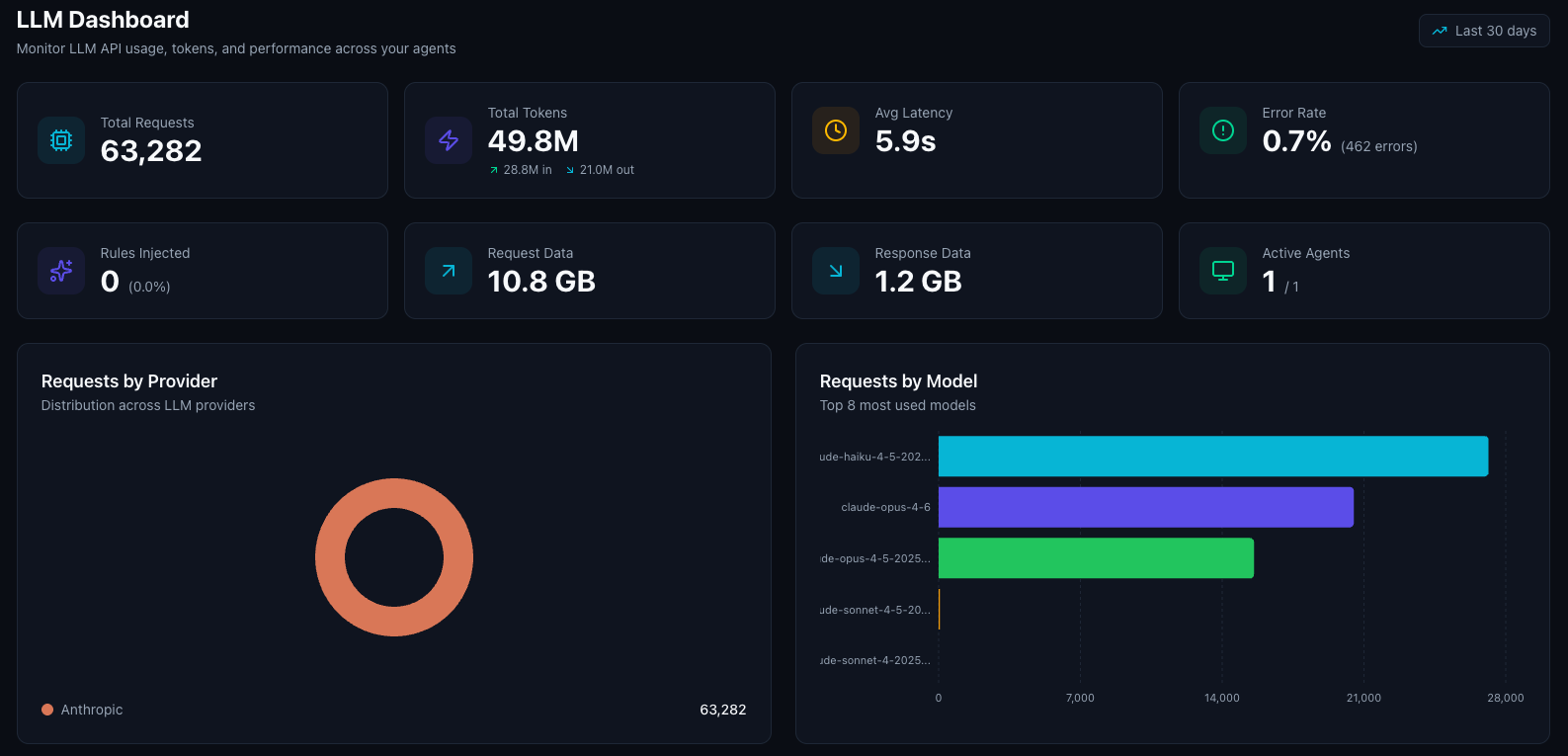
The LLM Activity Dashboard gives you visibility into how AI coding agents are using LLM APIs across your organization. Navigate to **Monitor > Dashboards** and select the **LLM Activity** tab. Data is shown for the last 30 days.
 ## Key Metrics
The dashboard displays five summary cards at the top:
| Metric | Description |
| ------------------ | ------------------------------------------------------------------------------ |
| **Total Requests** | Number of LLM API calls made through Turen (click to jump to LLM events) |
| **Avg Latency** | Mean response time from LLM providers |
| **Error Rate** | Percentage of failed LLM API calls, with error count |
| **Data Volume** | Total request and response payload sizes |
| **Active Agents** | Number of agents that sent LLM requests in the period (click to jump to fleet) |
## Provider Breakdown
A pie chart showing how usage is distributed across LLM providers:
* **Anthropic**: Claude models
* **OpenAI**: GPT models
* **Google**: Gemini models
* **Mistral**: Mistral models
* **Cohere**: Cohere models
## Model Breakdown
A horizontal bar chart showing which specific models your team is using (top 8). Model names are displayed in a friendly format (e.g., "Claude Opus 4.6", "GPT-5.2 Pro"). This helps you:
* Track adoption of newer models
* Understand usage distribution
* Identify usage patterns across your team
## Session Activity
## Key Metrics
The dashboard displays five summary cards at the top:
| Metric | Description |
| ------------------ | ------------------------------------------------------------------------------ |
| **Total Requests** | Number of LLM API calls made through Turen (click to jump to LLM events) |
| **Avg Latency** | Mean response time from LLM providers |
| **Error Rate** | Percentage of failed LLM API calls, with error count |
| **Data Volume** | Total request and response payload sizes |
| **Active Agents** | Number of agents that sent LLM requests in the period (click to jump to fleet) |
## Provider Breakdown
A pie chart showing how usage is distributed across LLM providers:
* **Anthropic**: Claude models
* **OpenAI**: GPT models
* **Google**: Gemini models
* **Mistral**: Mistral models
* **Cohere**: Cohere models
## Model Breakdown
A horizontal bar chart showing which specific models your team is using (top 8). Model names are displayed in a friendly format (e.g., "Claude Opus 4.6", "GPT-5.2 Pro"). This helps you:
* Track adoption of newer models
* Understand usage distribution
* Identify usage patterns across your team
## Session Activity
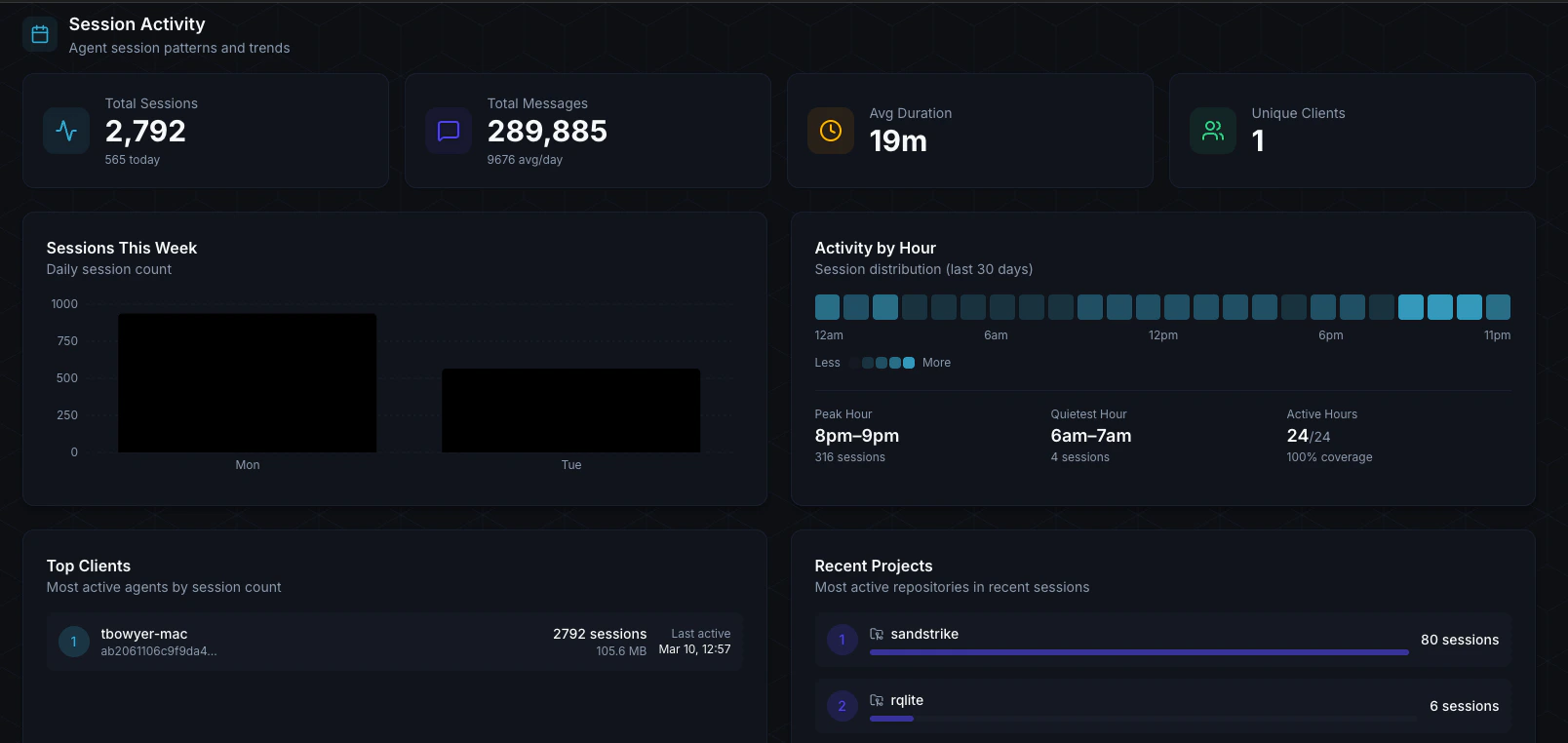 The bottom section shows detailed session metrics:
* **Total Sessions**: Number of Claude Code sessions in the period
* **Total Messages**: Messages exchanged across all sessions, with daily average
* **Avg Duration**: Average session length
* **Unique Clients**: Number of distinct machines with sessions
* **Sessions This Week**: Daily session count bar chart
* **Activity by Hour**: 24-cell heatmap showing when your team is most active
* **Top Clients**: Ranked list of machines with the most session activity, showing hostname, session count, total bytes, and last active time
The bottom section shows detailed session metrics:
* **Total Sessions**: Number of Claude Code sessions in the period
* **Total Messages**: Messages exchanged across all sessions, with daily average
* **Avg Duration**: Average session length
* **Unique Clients**: Number of distinct machines with sessions
* **Sessions This Week**: Daily session count bar chart
* **Activity by Hour**: 24-cell heatmap showing when your team is most active
* **Top Clients**: Ranked list of machines with the most session activity, showing hostname, session count, total bytes, and last active time